Best Shopify apps for multiple variant images
 By Le Thi Hien · Updated November 2026 · 17 min read
Shopify lets you assign one image to each variant. When a shopper picks a colour, that image shows first and the rest of the product's photos stay in the gallery. The five apps below build on that by giving each colour its own set of photos, compared here from their public listings on what the shopper sees, how you assign photos, and price.
Comparison
| Feature | Rubik Variant Images & Swatch | SA Variant Image Automator | Variant Image Wizard + Swatch | Nova Variant Images & Swatch | VIM: Variant Image Module |
|---|---|---|---|---|---|
| Maker | Craftshift | StarApps | ProductWiz Inc. | Hey Jak | RGD |
| Lowest paid price | US$25/ | US$5/ | US$4.99/ | US$9.99/ | US$10/ |
| Free plan or trial | Free plan, 1 product; 7-day trial on paid plans | Free on partner, staff and trial stores only; 30-day trial | Free plan, up to 5 products, Shopify free themes only; 14-day trial on paid plans | Free plan, 1 product; 3-day trial on Standard | Free plan, 5 products; 7-day trial on paid plans |
| What the shopper sees on picking a colour | Only that variant's images; shared images shown for every option without duplicates; keeps the theme's gallery | Only that variant's images; shared images after them (help page); keeps zoom, layout, video and 3D | Only the images for the selected variant | Only that variant's images, videos and 3D models; unrelated images hidden; keeps the theme's gallery | Only that variant's images; separate sets per combination (Blue/Large and Blue/Small) |
| How you assign images | AI auto-assign: 50 images a month on Free, 1k on Starter, 5k on Advanced, 50k on Premium | Automatic grouping plus a drag and drop board; the app reorders the Shopify media for you | Drag and drop; bulk edit on Pro (US$7.99/ | AI auto-assign on every plan; bulk configure tool on Premium (US$49.99/ | One image to several options (colour and size); CSV product tagging on Business (US$20/ |
| Mobile gallery | "Mobile responsive" tag; no behaviour described | "Mobile responsive" tag; no behaviour described | "Mobile responsive" tag; no behaviour described | "Mobile responsive" tag; no behaviour described | "Mobile responsive" tag; no behaviour described |
| Themes and setup | All themes and page builders; free setup for all themes on every plan | Any theme, page builder or custom build, no code | Free and Starter: Shopify free themes only; Pro: all themes | 350+ themes and page builders; Standard and Pro add an unsupported theme free | Any theme, no coding |
| Swatches | Yes | Not on its listing | Image and colour swatches; grouping separate products as swatches on Pro | Yes | Not on its listing |
| App Store rating and reviews | 5.0 from 506 reviews | 4.9 from 780 reviews | 4.8 from 225 reviews | 5.0 from 58 reviews | 4.4 from 28 reviews |
| Built for Shopify badge | Yes | Yes | Not on its listing | Yes | Yes |
Every column comes from the app's Shopify App Store listing, and SA's shared images from StarApps' help page, all read 19 Nov 2026. A tick means the listing names the feature without naming a plan. A cross means the listing does not show it, which is not proof the app lacks it. Prices are in US dollars as listed.
At a glance
| App | Best for | First paid plan | Free plan | Rating and reviews |
|---|---|---|---|---|
| SA Variant Image Automator | A price that follows your Shopify plan, not a product count | US$5/ | Partner, staff and trial stores only | 4.9 from 780 reviews |
| Rubik Variant Images & Swatch | AI assignment with a monthly image allowance | US$25/ | Yes, 1 product | 5.0 from 506 reviews |
| Variant Image Wizard + Swatch | A store on a free Shopify theme | US$4.99/ | Yes, up to 5 products, Shopify free themes only | 4.8 from 225 reviews |
| Nova Variant Images & Swatch | AI assignment on every plan, priced by product count | US$9.99/ | Yes, 1 product | 5.0 from 58 reviews |
| VIM: Variant Image Module | Separate photos for each size and colour pair | US$10/ | Yes, 5 products | 4.4 from 28 reviews |
Shopify's one image per variant covers a product with a few photos. With ten photos across four colours, the shopper scrolls past the other colours to find theirs. These apps let you give each colour its own set of photos and hide the rest.
- SA Variant Image Automator has the most reviews here (780) and prices by your Shopify plan, not your product count.
- Rubik Variant Images & Swatch assigns photos with AI on every plan, with a monthly image allowance. Its first paid plan, US$25 a month, is the highest starting price here.
- Variant Image Wizard + Swatch has the lowest paid price, US$4.99 a month, if your store runs a free Shopify theme.
- Nova Variant Images & Swatch is free for 1 product and US$9.99 a month for 45, with AI assignment on every plan and 58 reviews so far.
- VIM: Variant Image Module is the one that lists a separate photo set for each size and colour combination.
What we looked at
- What the shopper sees. What each listing says happens when a shopper picks a colour: which photos show, which hide, and where shared photos such as a size chart go.
- How you assign photos. AI, automatic grouping, drag and drop or a CSV file, and which plan each one needs.
- The mobile gallery. Only what the listing says. All five carry a "Mobile responsive" tag and none describes its phone gallery further.
- Price and limits. Product caps per plan, AI image allowances, theme limits and yearly prices.
- What the app's own users say. Its rating on the App Store, how many stores reviewed it, and how the stars split.
Setting up a variant image app often means a bulk change to your product media. SA's help page, for one, says the app reorders each product's images in Shopify for you. Back up your store before you assign images across your catalogue. Shopify runs the platform; your product data is yours to protect, and a backup app such as TinyBackup keeps a copy you can restore from if the new image order is not what you wanted.
The five apps
The apps follow in order of review count, most first. Under each listing picture, "Reviews on the listing" counts the reviews stores wrote about that app on the Shopify App Store.
SA Variant Image Automator
The listing says shoppers "see only the selected variant's product images" and that its grouping keeps 3D, video and zoom working. StarApps' help page explains the setup: you drag each variant's images into its own row, and the app arranges the product media in Shopify for you. Images meant for every colour, such as a size chart, go in a shared card and show after each variant's own photos. The listing's tags name a drag and drop editor, bulk upload, and import and export. It has been on the App Store since July 2017 and shows English only.
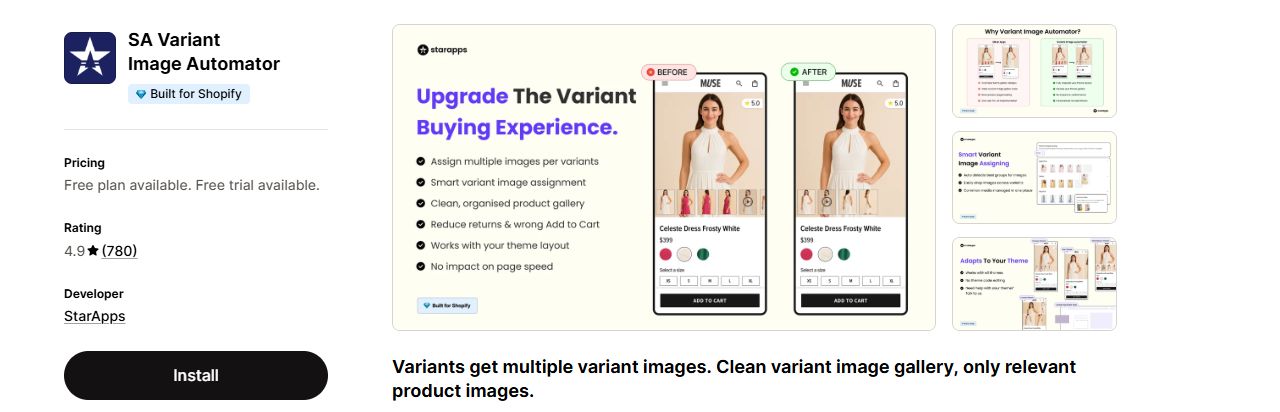
A store with many products on a smaller Shopify plan: the price follows the Shopify plan, and the plan card names no product cap.
The help page says not to reorder images on the Shopify product page after setup. The free plan is for partner, staff and trial stores, so a live store pays once the 30-day trial ends.
Listing: SA Variant Image Automator on the Shopify App Store
Rubik Variant Images & Swatch
Rubik shows only the selected variant's photos and, its listing says, assigns images shared by every colour "without duplication" while it preserves your theme's variant image gallery. Assignment runs with AI, with a monthly image allowance per plan, and its tags also name a drag and drop editor. Every plan lists video and 3D model support, multiple variant options (colour and style) and free setup for all themes. It has been on the App Store since October 2024, and the listing names 16 languages.
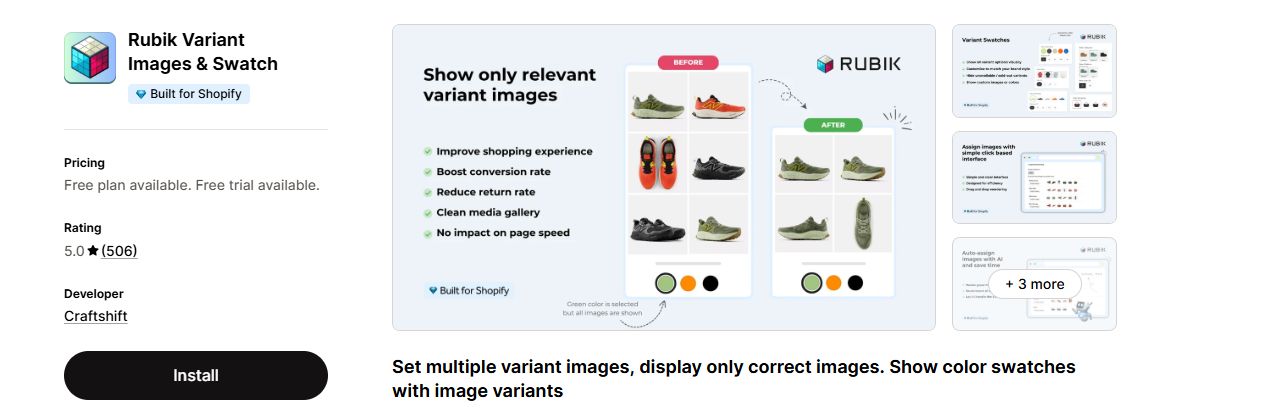
A catalogue where AI can sort the photos, with images shared by every colour kept once instead of copied to each variant.
The free plan covers one product, so it works as a trial more than a plan, and the first paid plan, US$25 a month, is the highest starting price here.
Listing: Rubik Variant Images & Swatch on the Shopify App Store
Variant Image Wizard + Swatch
You assign several images per variant in a drag and drop interface, and the listing says shoppers see "only the relevant product images for the selected variant." It can also restyle the variant picker, for example as buttons or dropdowns. The listing says it works with videos and 3D models; on the plan cards they sit on Pro. It has been on the App Store since May 2020 and the listing names 11 languages. The listing does not show the Built for Shopify badge.
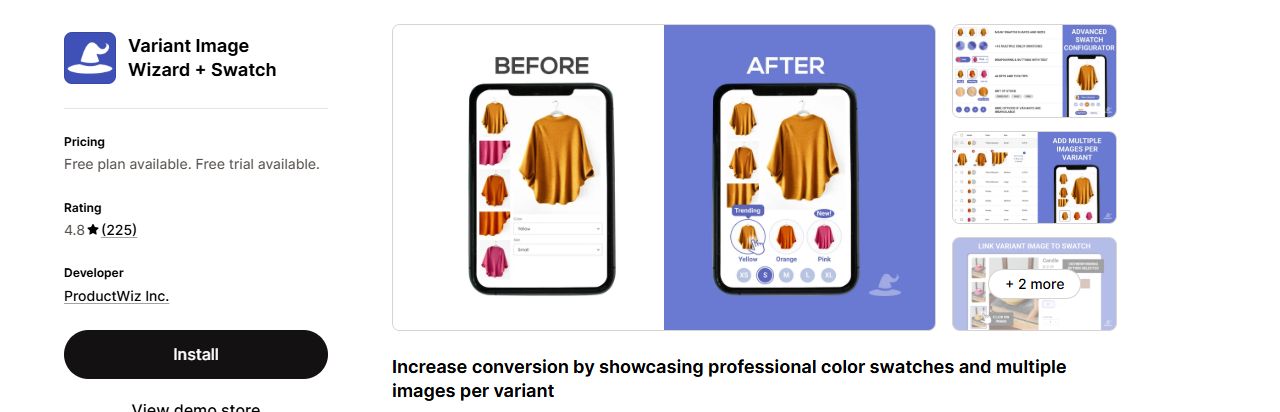
A store on a free Shopify theme that wants the lowest monthly price here and assigns photos by hand.
Free and Starter work on Shopify free themes only, so a paid theme needs Pro at US$7.99 a month.
Listing: Variant Image Wizard + Swatch on the Shopify App Store
Nova Variant Images & Swatch
Nova assigns photos, videos and 3D models per variant with AI on every plan. The listing says it hides unrelated product images, keeps the theme's variant image gallery with zoom and videos, and works with 350+ themes and page builders. Every plan lists multiple variant options (colour and size) and variants in collection, and Standard and Pro add an unsupported theme free. It launched in February 2026 and the listing names 12 languages.
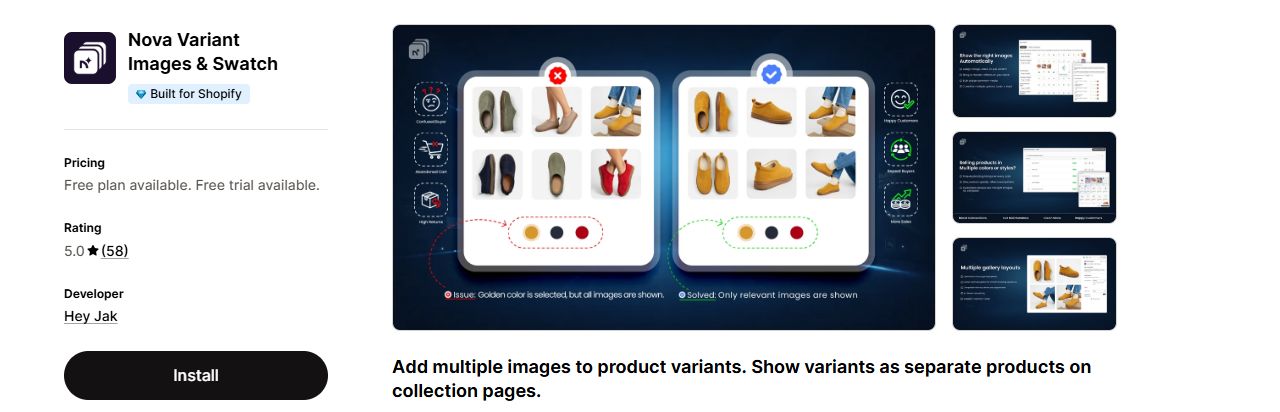
A small catalogue that wants AI assignment on every plan without a monthly image allowance.
It launched in February 2026, so its 58 reviews cover a short history, and only Standard lists a free trial, of 3 days.
Listing: Nova Variant Images & Swatch on the Shopify App Store
VIM: Variant Image Module
VIM can give each size and colour combination its own images. The listing's example: Blue/Large can have its own images, separate from Blue/Small or Red/Large. You can also assign one image to several options, such as colour and size. It lists slider, grid and lookbook layouts, a variant description from Basic, and CSV product tagging from Business. It has been on the App Store since July 2023 and the listing names 7 languages.
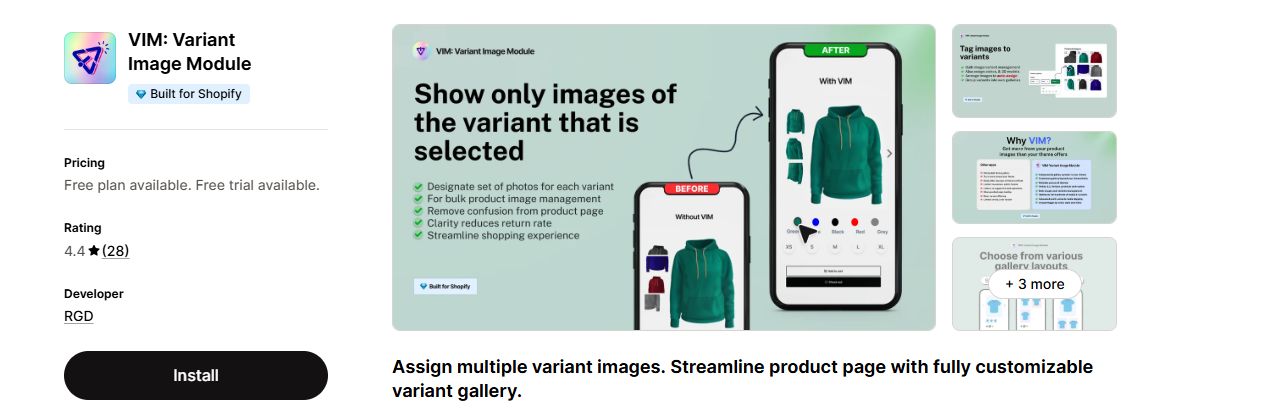
A store where the same colour needs different photos by size, or that runs up to three stores on one plan.
It has the lowest rating here, 4.4 from 28 reviews, and 2 of those reviews gave one star.
Listing: VIM: Variant Image Module on the Shopify App Store
Count the products that have more than one colour before you pick a plan. Rubik, Nova and VIM cap products per plan: 100 on Rubik's Starter, 45 on Nova's Standard and 100 on VIM's Basic. SA prices by your Shopify plan instead, and Variant Image Wizard's Starter has no product cap but runs on Shopify free themes only. A plan that looks cheap can cost more once your catalogue passes its cap.
How to choose a variant image app
Start from Shopify's one image per variant and count how many photos each colour really has. Then answer the questions below and use the tables to cut the five apps down to one worth a trial.
Questions to ask first
- Shopper view: if shared photos (a size chart, a lifestyle shot) must show for every colour, check the app handles them. Rubik's listing and SA's help page name this.
- Assignment: with hundreds of products, look for automatic grouping (SA), AI assignment (Rubik, Nova) or CSV tagging (VIM). For a handful, drag and drop is enough.
- Mobile: no listing here describes its phone gallery beyond a "Mobile responsive" tag. Install on a trial and pick a colour on your own phone before you pay.
- Theme: on a paid theme, Variant Image Wizard needs its Pro plan.
- Size: if a colour needs different photos by size, VIM is the one that lists a separate set for each combination.
Which app for which store
| Your store | Pick | Why |
|---|---|---|
| Runs a free Shopify theme on a small budget | Variant Image Wizard + Swatch | Starter is US$4.99/ |
| Has hundreds of products and no time to sort photos | Rubik or Nova | Both list AI auto-assign on every plan. Rubik counts AI images a month (1k on Starter); Nova counts products (45 on Standard). |
| Wants a price that does not grow with the catalogue | SA Variant Image Automator | The price follows your Shopify plan, from US$14.90/ |
| Shows a size chart or lifestyle shot for every colour | Rubik or SA | Rubik's listing names common images without duplication; SA's help page shows shared images after each variant's own. |
| Needs different photos for each size of a colour | VIM | Its listing says Blue/Large can have its own images, separate from Blue/Small. |
| Runs up to three stores | VIM | Enterprise, US$40/ |
| Wants to try on a few products first | Wizard, VIM, Rubik or Nova | Free plans: Wizard and VIM up to 5 products (Wizard on Shopify free themes only), Rubik and Nova 1 product. |
Features side by side
| Feature | SA | Rubik | Wizard | Nova | VIM |
|---|---|---|---|---|---|
| Free plan for a live store | Partner, staff and trial stores only | Yes | Yes | Yes | Yes |
| AI auto-assign | Automatic grouping; AI not named | Yes | Not on its listing | Yes | Not on its listing |
| Drag and drop editor | Yes | Yes | Yes | Not on its listing | Not on its listing |
| Several variant options, such as colour and size | Not on its listing | Yes | Not on its listing | Yes | Yes |
| Video and 3D models | Yes | Yes | On Pro, US$7.99/ | Yes | Video in its gallery tags; 3D not named |
| Shared images for every colour | On StarApps' help page | Yes | Not on its listing | Not on its listing | Not on its listing |
| Bulk tool | Yes | Not on its listing | Bulk edit on Pro, US$7.99/ | Bulk configure tool on Premium, US$49.99/ | CSV product tagging from Business, US$20/ |
| Image zoom | Yes | Yes | Yes | Yes | Yes |
| Yearly price | Not on its listing | Yes | Not on its listing | Yes | Yes |
A tick means the listing names the feature, in its feature lists, plans, tags or description; a cross means the listing does not, which is not proof the app lacks it. SA's shared images come from StarApps' help page. Read 19 Nov 2026. Some features sit on a paid plan, named in the cell.
Plans and prices side by side
| App | Free start | Lowest paid plan | Highest paid plan | Trial | Yearly price |
|---|---|---|---|---|---|
| SA Variant Image Automator | Partner, staff and trial stores only | Pause & Build, US$5/ | Shopify Plus, US$99.90/ | 30 days | Not shown |
| Rubik Variant Images & Swatch | 1 product | Starter, US$25/ | Premium, US$75/ | 7 days | US$200 to US$600 a year, 33% less |
| Variant Image Wizard + Swatch | Up to 5 products, Shopify free themes only | Starter, US$4.99/ | Pro, US$7.99/ | 14 days | Not shown |
| Nova Variant Images & Swatch | 1 product | Standard, US$9.99/ | Premium, US$49.99/ | 3 days, on Standard | US$100 to US$479.88 a year, 17% to 20% less |
| VIM: Variant Image Module | 5 products | Basic, US$10/ | Enterprise, US$40/ | 7 days | US$100 to US$400 a year, 17% less |
Prices in US dollars as each listing shows them, read 19 Nov 2026. SA's price follows the Shopify plan your store is on. Rubik, Nova and VIM price by product count. Wizard's paid plans both cover unlimited products; its Pro plan adds paid themes.
Why this one, not that one
- Rubik or SA for shared photos. Rubik's listing names common images without duplication, and SA's help page puts shared images after each variant's own. The Wizard, Nova and VIM listings do not say how they treat a photo every colour needs.
- Wizard or Nova for a low price. Wizard's Starter is US$4.99 a month for unlimited products, but only on Shopify free themes. Nova's Standard is US$9.99 a month for 45 products, and Nova adds an unsupported theme free on Standard and Pro.
- Rubik or Nova for AI. Both list AI auto-assign on every plan. Rubik limits the AI images a month (1k on Starter, US$25); Nova limits the products (45 on Standard, US$9.99).
- VIM for size and colour together. Rubik, Nova and VIM all list more than one variant option, such as colour and size. VIM is the one whose listing spells out a separate photo set for each combination, and it also lets one image cover several options.
Back up your products before you reorganise their images
TinyBackup automatically backs up key Shopify store data and helps you restore from a previous backup.
Start free trialHow we compared
Every claim on this page comes from the apps' own Shopify App Store listings, StarApps' help centre and Shopify's Help Center, read on 19 Nov 2026; the five listings were read again that day, and the pictures, review numbers and plan cards come from that second read. We did not install or test any of these apps; what they do is what their listings say. The ratings and review counts are what stores gave each app on the App Store. Prices, ratings and review counts change, so check the listing before you buy.